REVIEW · LOS ANGELES
APP Self-guided routes West Coast with audio guide
Book on Viator →Operated by BARCELONA LANDS · Bookable on Viator
One phone, many West Coast icons. This self-guided route app pairs audio guides in 6 languages with geolocation points tied to Google Maps, so you can move confidently stop to stop. The big trade-off is that you are doing the driving and walking yourself, and some admissions are not included.
I like how it keeps things practical: a mobile ticket, a simple web panel to customize your route, and guidance built around short, doable segments. If you want a hands-on day hitting major highlights from Los Angeles to Santa Monica, this is built for that kind of pace.
In This Review
- Key things you’ll notice right away
- Price and what $34.39 covers for up to 5
- How the West Coast audio app guides you (mobile ticket, web panel, geolocation)
- Hollywood Sign, LA neighborhoods, and the quick Desert Discovery Center stop
- Grand Canyon viewpoints: short walk, big payoff
- Antelope Canyon and Horseshoe Bend: mixed routes and paid admission
- Las Vegas walking tour then Yosemite’s Mammoth Lakes to Oakhurst drive
- From Yosemite to San Francisco Bay neighborhoods, plus Carmel and Monterey Peninsula
- Big Sur, Santa Barbara, and Santa Monica viewpoints in compressed time
- Who this self-guided West Coast route is best for
- Should you book this West Coast audio app?
- FAQ
- What is the cost and group size?
- How long is the experience?
- Where does the tour start and end?
- What time does it start?
- Is this a guided tour with a person?
- Which languages are available for the audio guide?
- Are admission tickets included for every stop?
- Can I get a refund or change the booking?
- Are there accessibility details?
Key things you’ll notice right away

- Audio in 6 languages (English, French, German, Italian, Portuguese, Spanish) so you can switch without losing the thread
- Points of interest linked to Google Maps with geolocation, so navigation feels less guessy
- A web panel for route customization plus a repository of travel documents you can reference during the day
- Driving routes and walking routes mixed together for a West Coast hit-list style itinerary
- Compressed timing per stop that keeps the day moving, especially in national parks and big scenery areas
Price and what $34.39 covers for up to 5
This experience runs $34.39 per group (up to 5). That matters because you’re not paying per person. If you’ve got a small family or a couple friends, splitting the cost can feel more like buying a useful tool than a traditional tour.
You also get structure. An app that lays out a sequence of Los Angeles icons, desert stops, national park viewpoints, and coastal finales saves you time deciding what to do next. It is not a chauffeured day. But it is a well-organized way to self-plan while still having someone’s logic in your pocket.
Possible downside: because you’re using an app, you’ll rely on your own transportation and phone battery. If your signal or battery is shaky, your enjoyment drops fast.
You can also read our reviews of more guided tours in Los Angeles



How the West Coast audio app guides you (mobile ticket, web panel, geolocation)
Everything runs from your phone, starting with a mobile ticket. When you book, you get confirmation at the time of booking, and the experience is set up as a private activity for your group (only you).
The core setup is simple:
- Geolocation helps you line up with each point of interest
- Each stop connects to Google Maps, which is handy when streets and parking choices get complicated
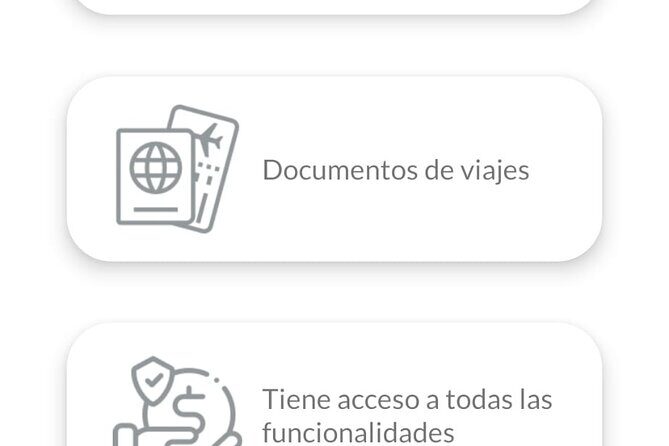
- The web panel lets you customize your route and serves as a repository of travel documents
- Audio guides provide narration as you move, available in 6 languages
For the best experience, treat your phone like the driver’s seat. Bring headphones you like. Keep the screen brightness reasonable. And plan for the fact that you’ll pause, walk, and drive multiple times through the day.
Hollywood Sign, LA neighborhoods, and the quick Desert Discovery Center stop

Your day kicks off in Los Angeles International Airport at 8:00 am, and it is designed to bring you back to the meeting point at the end. Stop 1 focuses on the Hollywood Sign and the classic LA neighborhood loop: Downtown, Hollywood, Beverly Hills, and Santa Monica.
What I like here is the “photography-first” angle. The route is built around how to photograph the Hollywood Sign, which is great if you only have a limited window. Instead of wandering randomly, you get a plan for viewpoints and photo timing.
Then you switch gears with Stop 2: the Desert Discovery Center for a quick look at a meteorite that fell thousands of years ago. It’s only 10 minutes, and that brevity is the point. It works as a reset: a fast stop to break up the longer drives and keep momentum.
If you’re hoping for slow sightseeing and long hangs at every viewpoint, this part might feel too tight. But if your goal is to stack highlights efficiently, it fits.
Grand Canyon viewpoints: short walk, big payoff
Stop 3 is Grand Canyon National Park, scheduled for about 1 hour with a tour of the viewpoints. This is one of those situations where the format matters. Instead of planning a whole day at the Grand Canyon, you get a guided sequence of viewpoints you can follow.
The practical win: you’re less likely to miss key lookouts just because you arrived with no plan. And you’re not stuck “researching on the spot.” You can use the audio guidance while you walk between viewpoint stops.
The trade-off is obvious: 1 hour is not a full Grand Canyon experience. It is a highlights tour. So manage your expectations. Think snapshot-and-walk, not marathon hiking and hours of lingering.
Tip for your planning mindset: wear comfortable shoes. Even short walking segments can add up when you’re doing multiple viewpoint transitions in one day.
Antelope Canyon and Horseshoe Bend: mixed routes and paid admission
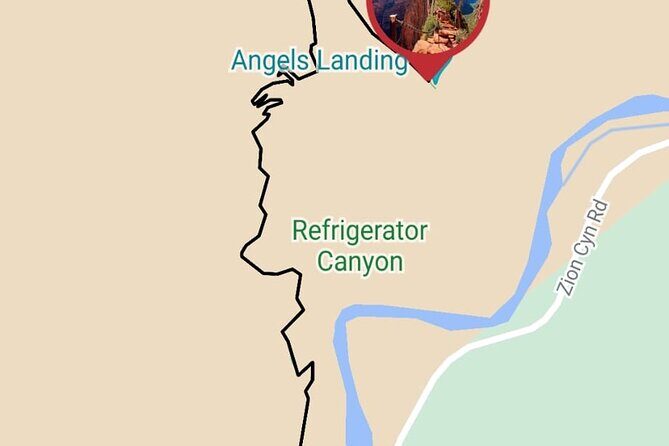
Stop 4 is Antelope Canyon, with an Arizona-style route plan that includes segments on foot and by car. The route also references nearby big scenery landmarks in the overall flow, including paths that can connect you through areas like Monument Valley, Bryce Canyon, Zion, and options tied to Antelope Canyon or Horseshoe Bend.
Here’s the important consideration: admission is not included for this stop. The app can still guide your route and walking segments, but you should be ready for additional ticketing costs once you arrive.
Why this stop format can still be worth it: Antelope Canyon and Horseshoe Bend are the kind of places where the “right approach” matters. If you show up without a route plan, you can waste time figuring out where to go next. The audio and mapped flow helps you keep moving.
Just remember: you’ll likely need to align with whatever access rules are in place at the specific site. If you’re traveling with limited time and want the best chance of seeing the area efficiently, this app’s structure helps. If you want total flexibility with no extra planning, this part may feel more demanding.
You can also read our reviews of more tours and experiences in Los Angeles





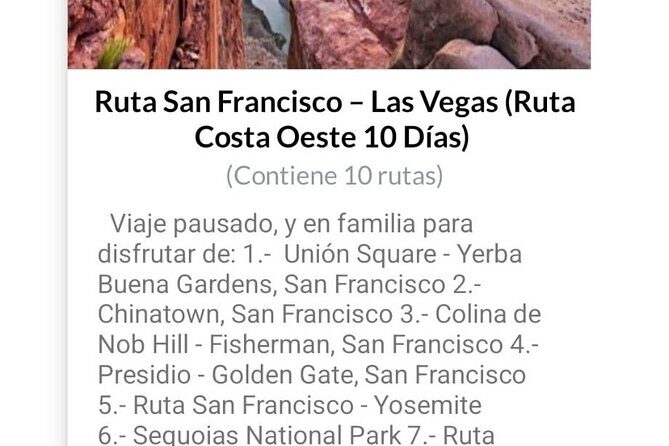
Las Vegas walking tour then Yosemite’s Mammoth Lakes to Oakhurst drive
Stop 5 is Las Vegas for sightseeing with walking tours that point you to different points of interest. It’s scheduled for about 1 hour, and that’s a good match for how walking fits the city. You’ll get a route approach instead of aimless wandering.
What makes Las Vegas work in this itinerary style is the walk-based pacing. Even if you don’t want to spend money on attractions, a walking loop of viewpoints and highlights can still give you the feel of the city quickly.
Then you head to Stop 6: Yosemite National Park, with walking routes plus driving segments described as from Mammoth Lakes to Oakhurst. This stop is also about 1 hour, and again, that tells you the story: it’s viewpoint and walk highlights, not deep exploration.
If you love the idea of “national parks, but efficiently,” this fits your travel style. If you prefer slow, nature-focused time—quiet, long hikes, and fewer stops—you might feel rushed.
Practical note: Yosemite stops often mean uneven walking and changes in weather. Even when a stop is short, bring layers you can adjust on the move.
From Yosemite to San Francisco Bay neighborhoods, plus Carmel and Monterey Peninsula
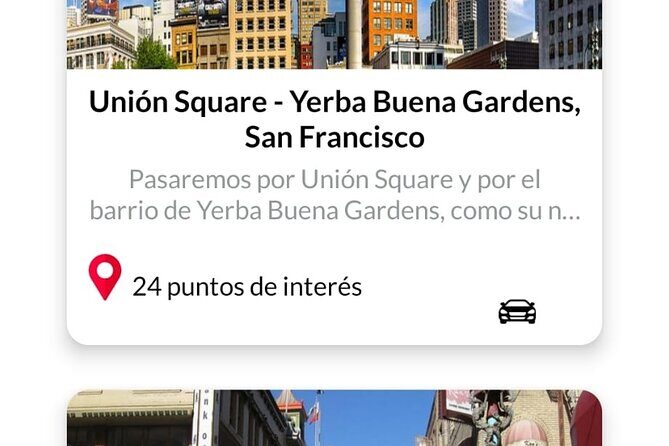
Stop 7 is San Francisco Bay, described as a route from Yosemite to San Francisco with walking routes through different neighborhoods and also excursions from San Francisco. This part is not included for admission. The itinerary gives you the navigation backbone, but the “excursions” part is where you should expect extra planning and potentially extra costs.
I like that the route emphasizes neighborhoods and walking. San Francisco can feel like a maze if you have no plan. A guided walking sequence helps you get your bearings faster without relying on guesswork.
Stop 8 continues with Carmel and the broader Monterey Peninsula area. The route includes a pass through Silicon Valley, calling out major tech company names like Google and Facebook. Then you get a walking tour of Monterey plus Monterey Peninsula points of interest for about 1 hour.
This is where the app’s pacing becomes useful. You’re stacking coastal charm (Monterey) and scenic drives (the peninsula) with a clear route order. It’s a good way to see a lot without spending the whole day trying to decide where to park and what to do next.
Big Sur, Santa Barbara, and Santa Monica viewpoints in compressed time
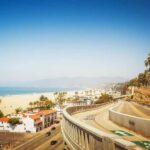
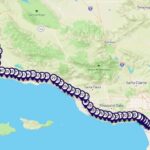
Stop 9 is Big Sur, about 30 minutes, focused on its points of interest. Stop 10 is Santa Barbara for another 30 minutes, including a route from Monterey to Santa Barbara with a pass through Solvay and time for local attractions. Stop 11 ends with Santa Monica for about 30 minutes, moving from Santa Barbara to Santa Monica along the coast with points and viewpoints.
That trio is the “fast coastal sampler.” It is not meant to replace a slower beach-and-view day. Instead, it gives you a structured way to catch the highlights—especially helpful when you want to cover the full West Coast arc in one shot.
My main advice: pick a photo goal for each stop. When you only have 30 minutes, vague intentions lead to half-finished moments. Decide what you want from each area—sunset angle, overlook photo, a specific coastline viewpoint—and let the route carry you there.
Also, expect driving transitions and parking realities. Short stops mean you want your phone navigation ready before you arrive, not while you’re already stuck circling a few blocks.
Who this self-guided West Coast route is best for
This experience fits best if you want a structured West Coast day without paying for a full guided bus tour. It’s also a smart choice if you like planning on the fly, because you can use the web panel to customize your route.
You’ll likely enjoy it if:
- You’re comfortable driving and walking between major stops
- You want an audio-driven tour flow, not a live guide
- You’re traveling in a small group (up to 5) and want to split the cost
- You want highlights from LA through Grand Canyon, Las Vegas, Yosemite, San Francisco, Monterey/Carmel, Big Sur, Santa Barbara, and Santa Monica
It may feel less ideal if:
- You want long, slow stays at fewer places
- You don’t want to handle extra admissions at stops like Antelope Canyon
- You’re worried about phone battery or navigation reliability
Should you book this West Coast audio app?
If you want a day that covers a huge amount of West Coast ground with audio guidance, Google Maps-linked points, and a clear order, I think this is a strong buy. The pricing is group-based, and the structure helps you avoid the usual chaos of deciding what to do next.
I’d only hesitate if you need a fully guided, no-effort experience or if you prefer deep, time-consuming explorations at the big-name parks. This route is designed for snapshots with a plan, not a slow travel reset.
If that pace matches your style, go for it. This is the kind of tool that can make a self-planned West Coast trip feel organized and surprisingly smooth.
FAQ
What is the cost and group size?
It costs $34.39 per group, and the group size is up to 5 people.
How long is the experience?
The duration is approximately 8 to 10 hours.
Where does the tour start and end?
It starts at Los Angeles International Airport at 1 World Wy, Los Angeles, CA 90045, USA, and it ends back at the same meeting point.
What time does it start?
The start time is 8:00 am.
Is this a guided tour with a person?
No. It is a self-guided experience using a navigation app with an audio guide.
Which languages are available for the audio guide?
The audio guide is available in Spanish, Portuguese, German, Italian, French, and English.
Are admission tickets included for every stop?
Not all stops include admission. For example, Antelope Canyon is listed as admission not included, and the San Francisco Bay portion is also listed as admission not included.
Can I get a refund or change the booking?
No. The experience is non-refundable and cannot be changed for any reason.
Are there accessibility details?
Service animals are allowed. It is near public transportation, and most travelers can participate.